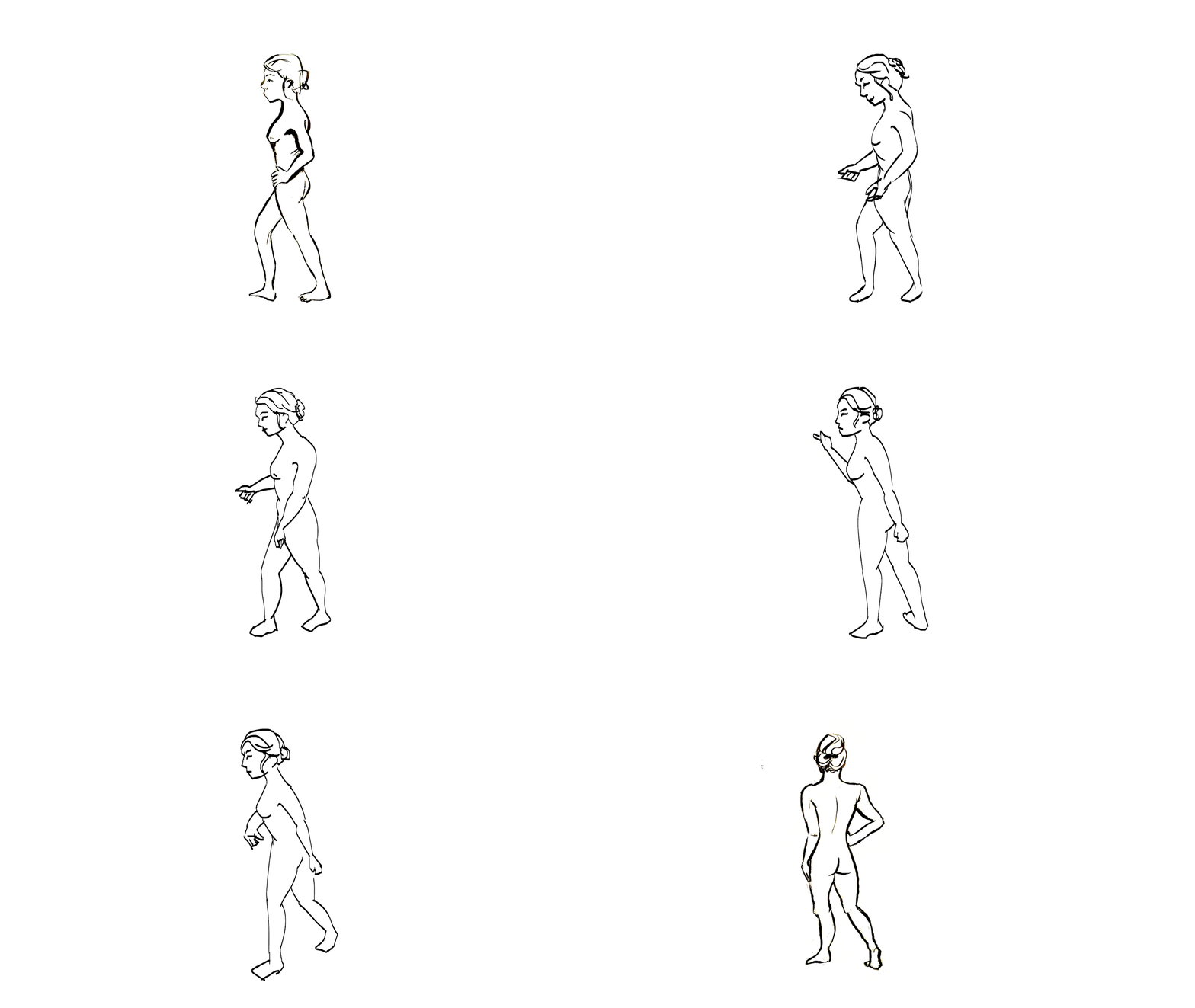
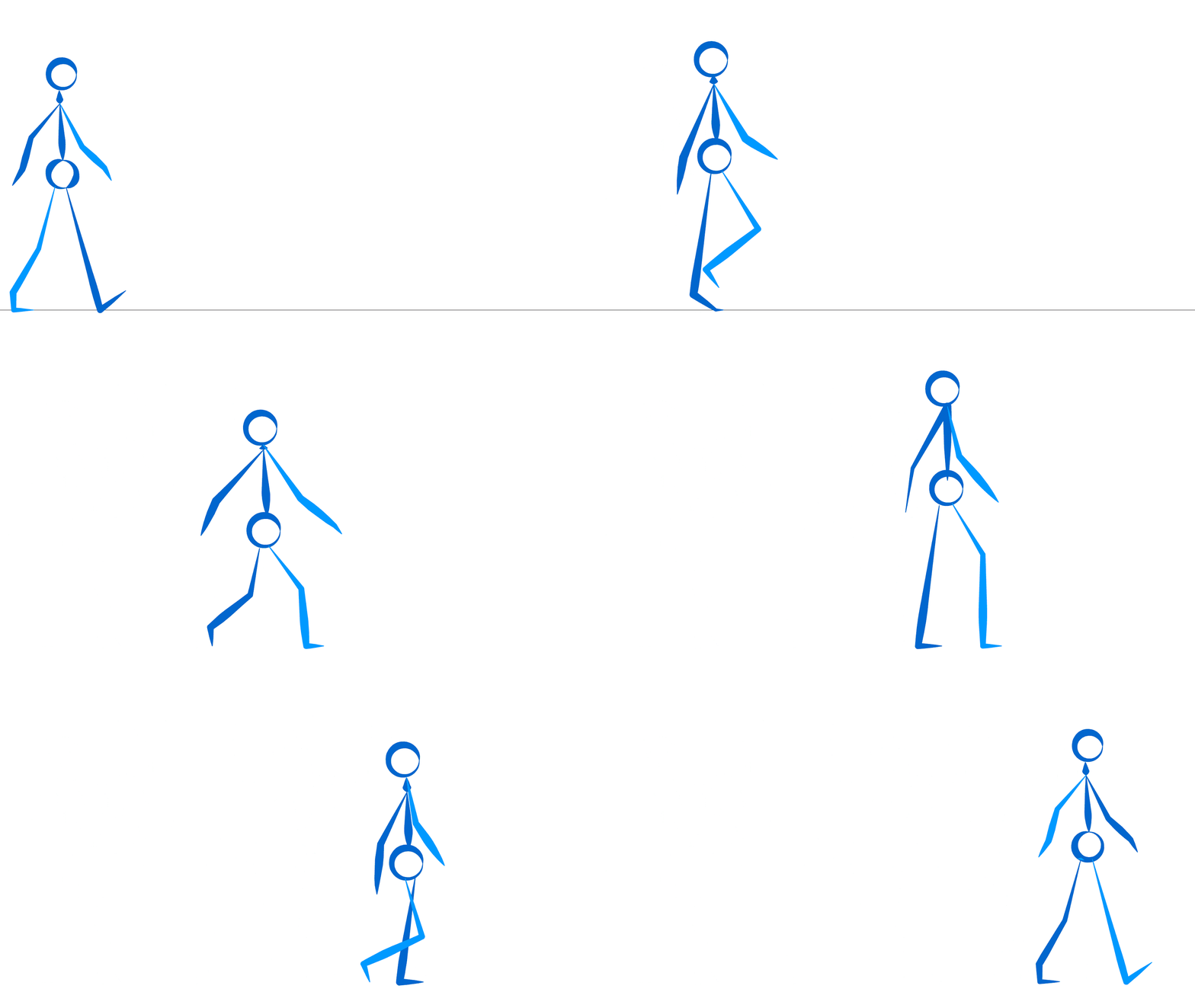
After discussing with Alan that I was worried about not getting the hand drawn look in my animation using toon shaders, I thought it would be good to try a few things out to see what looks/ works best. I’m actually really happy with how it looks! It definitely has a more hand drawn quality to it that I can’t seem to translate onto my 3D model right now. I will continue to research into toon shaders, as well as trying to find any plug ins that will help me translate the character into 3D. If I’m still not happy with the results of that, I’ll focus more on 2D animation for my main character, but that’s more of a plan B right now. This test was extremely useful to me as I will be incorporating 2D into my animation anyway for illustrated effects.
Showing posts with label 2danimation. Show all posts
Monday, 21 October 2019
Thursday, 25 April 2019
Premise - Adobe Animate 2D Animation Test
![]() |
| Main Character 2D Animation Test |
Today I played around in Adobe Animate and created a small animation of the main character of my premise project. It's been a while since I've used 2D Animation software so it was a little challenging to create this animation. I decided to choose some of my storyboards as a reference as I thought it was important to create my animation tests based on scenes that might be in the final product.
I think 2D Animation could be a really fun way to bring my main character to life as the character is a 2D drawing and I feel like it would make more sense to animate them using 2D rather than 3D. However, I did find this process challenging and time-consuming. I found that I kept changing the proportions of the character and everything in general looks a bit sloppy and messy. I think a sketchy/messy look could fit the aesthetic of my film quite nicely, but it still needs to look somewhat more polished and smooth. I'm a little undecided on how I feel about 2D at the moment.
If I were to go forward with using 2D animations for my main character, I would have to learn how to become more proficient in using Adobe Animate for sure. I'm going to be carrying out a few different tests using different animation styles and techniques using this same scene so I can easily compare the different styles and techniques.
Friday, 7 April 2017
Friday, 31 March 2017
Friday, 27 January 2017
Friday, 13 January 2017
Adobe Animate - Pulling Animation W.I.P
This is how my animation exploring the theme; Gravity, looks so far. I used a video of my classmate pulling a chair along the floor with a rope as a reference.
Friday, 9 December 2016
Artist's Toolkit - Adobe Animate - Four Legged Walk Cycle
Today I animated a four legged walk cycle. This was challenging as I had to try and sync up the deer's legs properly, and I also struggled with drawing the deer as it's not something that I'm used to drawing. The legs are a little out of sync, making the deer look like it's limping. The animaiton is not as smooth as I would have liked. However, I'm still pleased with the outcome.
Friday, 2 December 2016
Adobe Flash- Throwing Animation
Today I animated someone throwing an object, using a video of myself as a reference.
I feel like my skills in using Adobe Flash are getting better the more animations I make, however I still haven't gotten the hang of making the animation look smooth and fluid, instead of jumpy. I might be able to solve this by adding more in-between frames and focus on making sure the proportions of the person I'm animating stays the same.
Wednesday, 30 November 2016
Walk Cycle Using Reference Rough Animation
I animated this walk cycle using Adobe Animate. I used a video of my classmate walking as a reference, giving the animation more fluid, more realistic motions. I found this easier to animate compared to my previous walk cycles as I could closely follow the reference. If I have time I would like to clean up the animation as this was just a rough test to make sure the movements looked okay.
Friday, 25 November 2016
Friday, 18 November 2016
Adobe Animate Run Cycle
I used a tablet for animating the walk cycle instead of drawing lines with a mouse. This was a much quicker and easier way of animating. I still feel like the movements are a little jumpy, but I think I've improved a lot comparing this run cycle to my previous walk cycle animation.
Edited Walk Cycle
Not particularly happy with this walk cycle. It's too jumpy and the proportions of the person walking do not stay the same. I'll try to fix this in my run cycle animation.
Friday, 11 November 2016
Friday, 28 October 2016
Adobe Animate- Halloween Workshop W.I.P
But I can't figure out where I've gone wrong. Any advice would be appreciated.
Friday, 14 October 2016
Flash Animation- Follow Through and Overlapping Actions
Using my cartoon bouncing ball as a base, I added more characteristic features to my animation. So far, I have only added legs, however this has already given the impression that the bouncing ball is a live creature, and not an object. Next I'll try adding a tail and arms. I'm feeling a little more confident in using Adobe Animate, although I'm still struggling a little with figuring the movement of different objects.
Friday, 7 October 2016
Adobe Flash Bouncing Ball Animations
Friday, 30 September 2016
Adobe Animate Pendulum Samples
![]() |
| Incorrect Sample |
![]() |
| Correct Sample |
After animating my moving circle animations, I tried a little more difficult task of animating a swinging pendulum. Applying the skills I learned in my previous samples, I made the samples look more natural by thinking about the space and time between each frame. For the first sample, the circle moved in a straight path, however this didn't look very natural when I played the animation back, So I tried again, but this time, changing the path of the circle so that it moved in a more smooth, natural way.
Although I prefer the outcome of the second sample more than the first, I noticed that there is a slight glitch at the end of sample 2's animation loop, and I'm not sure how I can fix it, This will be something that I will have to look into.
Adobe Animate Circle samples
![]() |
| Animation sample 1 |
![]() |
| Animation sample 2 |
I created these animated gifs on Adobe Animate. When animating the first moving sequence, I evenly spaced out the gap between the circle in each frame that it moved forward, resulting in a very basic animation. The second time I animated a moving circle, towards the start and end of the sequence, I placed the circles very close together, getting further apart as it reached the center of the screen. The second animation looks a lot more fluid and interesting. It has more natural movement, compared to the first animation sample, which looks a little more robotic,
These samples have taught me the importance of spacing out your frames to control the speed of your animation, and also allowing your animation to look more fluid and natural.
Subscribe to:
Posts (Atom)